
Blog Staff
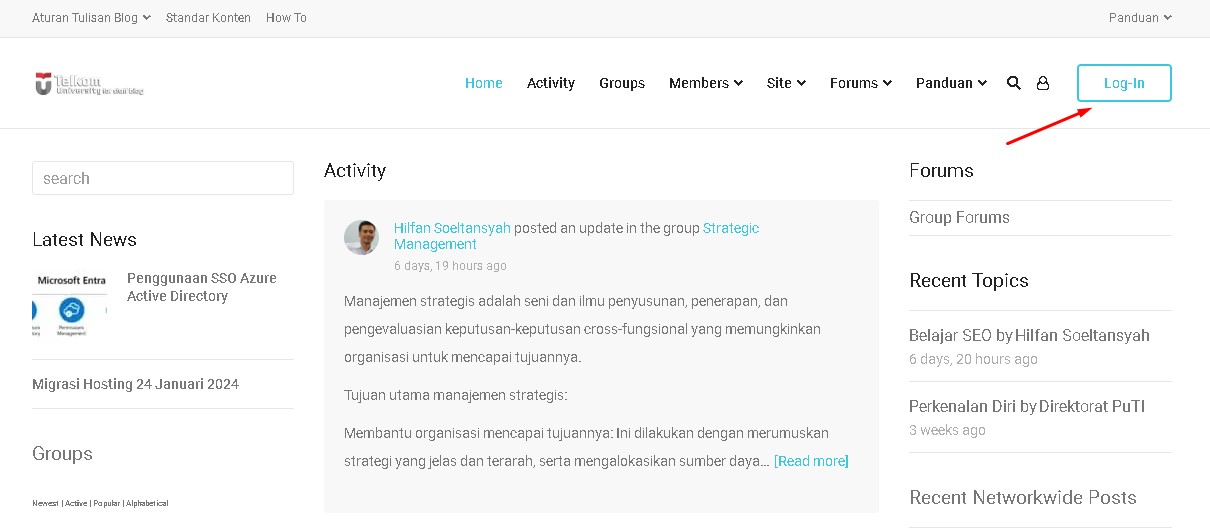
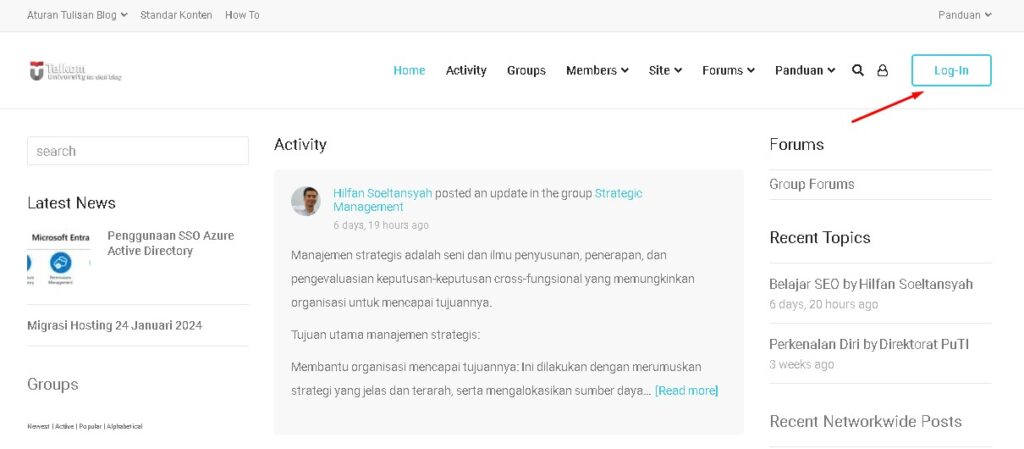
Access the staff blog via https://staff.telkomuniversity.ac.id/ then click the Login button.
Blog Service Features
- Themes and Plugins are limited, cannot be added
- Themes using default WordPress support Gutenberg Editor
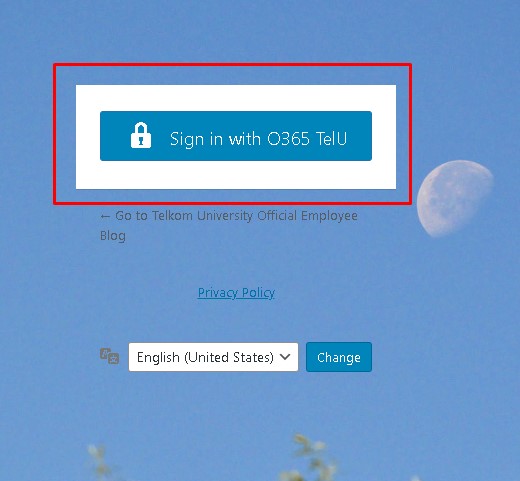
- Login using O365 Single Sign On, via the Staff Blog main page.
Gutenberg WordPress Editor
In the ever-evolving world of web design and content, having a powerful and easy-to-use editor is crucial. Meet Gutenberg , the revolutionary, game-changing WordPress editor. In this comprehensive guide, we’ll explore Gutenberg’s full potential for creating stunning web pages. Whether you’re a seasoned developer or a curious beginner, let’s explore the world of block-based editing.
1. The Rise of Gutenberg: A Paradigm Shift
The Birth of a New Era
Gutenberg, introduced as the default editor in WordPress 5.0, replaces the traditional TinyMCE editor. Its intuitive interface and responsive design have made it a favorite among creators. But what makes it different? Let’s find out.
Blocks: The Foundation of Creativity
Gutenberg’s core concept revolves around blocks . Each block represents a different element—whether it’s a paragraph, an image, a button, or a video. These blocks can be easily rearranged, customized, and styled. Leave the monotonous layout behind; with Gutenberg, your creativity is limitless.
2. Getting started with Gutenberg
Lifting the Screen
Before you begin your Gutenberg journey, make sure you have a running WordPress website. Once you’re in the admin dashboard, navigate to the post or page you want to edit. Click the “Edit” button, and voilà! You’re in Gutenberg territory.
The Art of Content Creation
Gutenberg uses the concept of individual content blocks for adding and editing various elements within posts and pages. You can customize the appearance of each of these blocks. For example, you can choose a different background color or width for the entire block without affecting other elements.
3. Optimizing the Experience with Gutenberg
Digging Deeper
Gutenberg isn’t just an editor; it’s your creativity in digital form . Let’s take a look at some of its exciting features:
a. Reusable Blocks: Custom Templates
Gutenberg lets you create reusable blocks . It’s like having a collection of ready-made templates. Create blocks for headers, testimonials, or even full page layouts. Save time and ensure consistency with reusable blocks.
b. Drag-and-Drop: Simplicity Itself
Gutenberg is a drag-and-drop editor . Drag and drop content onto web pages without having to fiddle with code. It’s suitable for both beginners and experienced practitioners.
c. Full Site Editing (FSE): Unlimited Design
With Gutenberg, you can design your entire website . Not just posts, but also pages, headers, footers, and other sections. FSE opens the door to limitless creativity.
Page Template
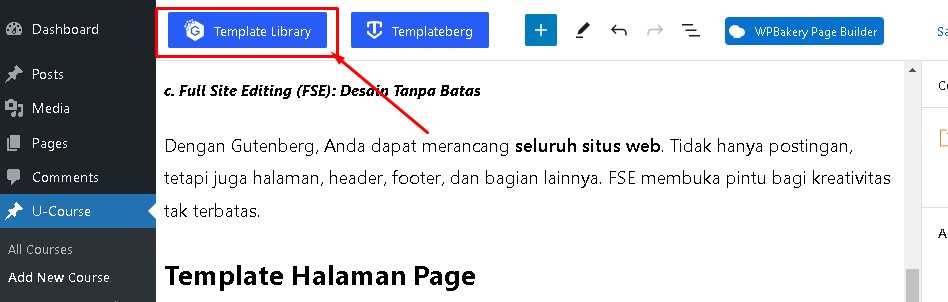
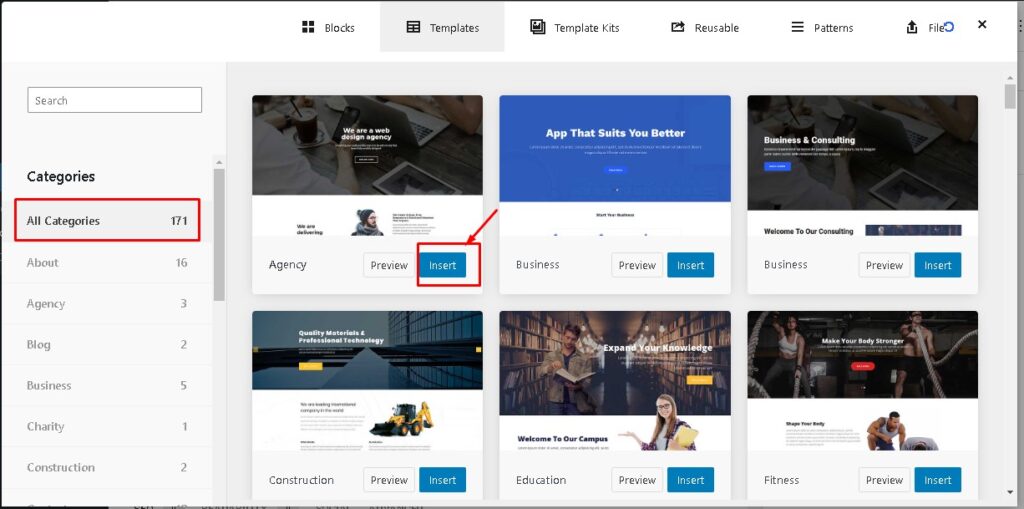
There are instant templates that can be used to create website pages, so you don’t need to rely on using themes to get an instant website appearance.
We can preview first, before inserting the page template that we will apply.
Block Template
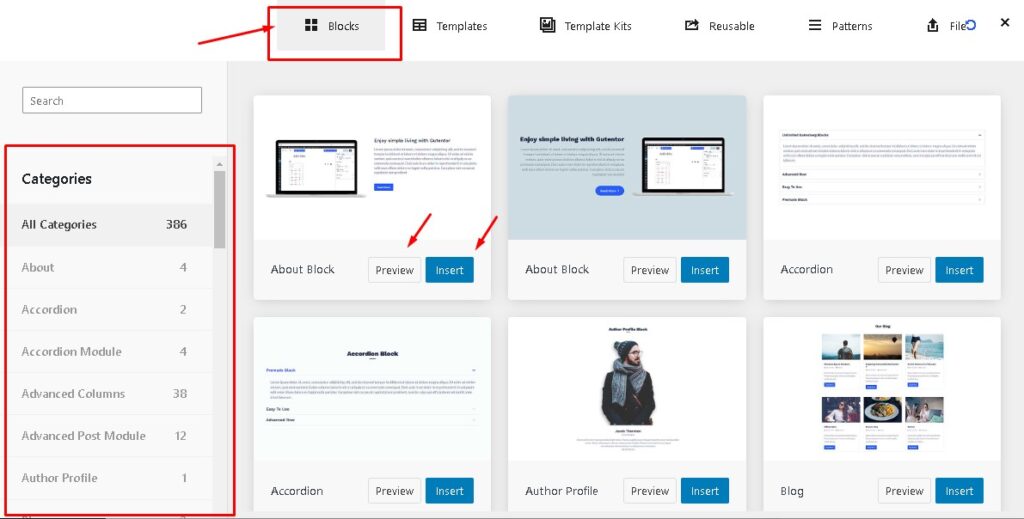
Block Templates are used to insert certain display forms that you want to appear on a web page.
Unit Website
For the unit website editor, it is also the same, it is highly recommended to use Gutenberg, plugin and theme standards can be read at https://it.telkomuniversity.ac.id/standar-wordpress-di-tel-u/ .