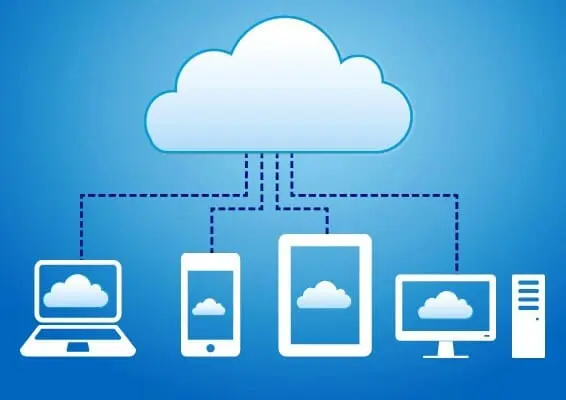





Not long ago, growing companies had to predict their digital infrastructure requirements years in advance. Expanding a digital service meant physically buying boxy server systems, upgrading on-premise electrical lines, and configuring expensive local network architectures.
Today, this process has completely changed. Organizations of all sizes are rapidly moving their systems out of physical office rooms and shifting them into virtual spaces. This strategic transition—known as cloud migration—is driven by clear financial and operational advantages. Moving assets online helps businesses overcome traditional infrastructure bottlenecks by maximizing cost-efficiency, on-demand scalability, and state-of-the-art data security.
Transforming Capital Expense into Smarter Operating Cost
The most immediate motivation behind cloud migration is financial optimization. Maintaining traditional, local server hardware introduces immense financial waste because organizations must pay to keep their systems powered and cooled around the clock, even when customer activity drops during weekends or holidays.
- Eliminating Upfront Capital Expenditures (CapEx): Building an on-premise data center requires purchasing expensive server racks, networking switches, and cooling hardware before you even deploy a single application. The cloud entirely replaces these massive upfront costs with a predictable operating cost (OpEx).
- The Pay-As-You-Go Economic Model: Cloud providers charge businesses based on exact operational consumption. You are billed strictly for the processing hours, data transfer volumes, and storage gigabytes your software actually uses.
- Reduced Overhead Labor Costs: Managing local hardware requires dedicated on-site IT technicians to physically replace failed parts, clean dust filters, and manage wiring. Migrating online unburdens your technical staff, allowing them to focus on software innovation rather than physical maintenance.
On-Demand Scalability: Adapting to Global Traffic Fluctuations
In the modern digital landscape, consumer traffic is completely unpredictable. A marketing push or seasonal holiday sale can spike application interactions by ten times within a few minutes. On-premise hardware cannot handle these volatile changes, leading to slow load times or total system crashes.
The cloud introduces unmatched elastic capabilities, allowing your digital foundation to grow or shrink dynamically alongside actual real-time user needs.
- Vertical and Horizontal Scaling: If your application requires more processing power, you can vertically upscale your existing virtual server by instantly adding more virtual RAM and CPU capacity. Alternatively, you can horizontally scale out by deploying multiple identical server instances to distribute heavy user traffic smoothly.
- Automated Elastic Control: Systems engineers can configure automated triggers that monitor overall network performance. When processor utilization exceeds 80 percent across a cluster, the cloud platform automatically boots up additional virtual servers to handle the stress, then scales them back down once traffic normalizes.
- Global Network Edge Expansion: Major cloud hyperscalers maintain physical data hubs around the earth. By migrating your web applications to the cloud, you can seamlessly deploy identical software instances across global regions, placing data closer to your international customers to eliminate latency delays.
Advanced Security Frameworks and Automated Disaster Recovery
A common historical hesitation regarding cloud migration was the fear of losing data visibility. However, enterprise organizations quickly discovered that professional cloud providers maintain sophisticated digital defenses that far surpass what a standard company can afford to build internally.
Keeping these distributed environments completely secure requires advanced system auditing and robust monitoring platforms. According to a cloud tracking study published by researchers at Telkom University, deploying continuous software logging architecture across cloud infrastructures is essential for isolating anomalous behaviors, verifying operational integrity, and catching unauthorized access attempts before they result in data exposure (Al-Fayed & Widiyasono, 2021).
- Centralized Access Restrictions: Cloud platforms rely on Identity and Access Management (IAM) systems. This architecture guarantees that employees are granted the absolute minimum digital permissions necessary to complete their tasks, significantly reducing internal security vulnerabilities.
- Continuous Cryptographic Protection: Modern cloud environments enforce robust security standards by automatically encrypting files while they rest on physical server disks and while they travel across the internet pipeline.
- Resilient Automated Failovers: Traditional data backups involve manually saving files onto portable drives or local tapes. In contrast, cloud environments automatically replicate your live system state across multiple separate geographical facilities, guaranteeing near-zero data loss if a localized disaster occurs.
Are you curious about how these dynamic server clusters actually split up physical hardware to isolate your company files from other tenants? To understand the deep machinery running inside these secure warehouses, explore our article How Cloud Storage Actually Works: Where Your Data Goes When It Leaves Your Device right here on our website.
Strategic Implementation Choices
When executing a migration, tech leadership must determine exactly how much control they want to retain over their virtual environment.
Choosing your cloud blueprint requires a delicate balance between development flexibility and simple system management. If you are trying to decide whether your company needs direct access to virtual operating systems or simply a ready-made platform to run code, check out our comprehensive Beginner’s Guide to Cloud Computing: Infrastructure as a Service vs. Platform as a Service comparison on this site.
Conclusion
Migrating to the cloud is no longer a luxury reserved for massive technology giants; it is a fundamental survival prerequisite for any business aiming to compete in a fast-moving market. By removing the financial burden of managing physical data centers, giving platforms the flexibility to scale to millions of users in minutes, and delivering enterprise-grade cybersecurity tools out of the box, the cloud enables organizations to focus completely on what matters most: building outstanding products and delivering exceptional consumer value.
Frequently Asked Questions (FAQ)
1. What is a “lift-and-shift” cloud migration strategy?
A lift-and-shift migration strategy (also known as rehosting) involves copying your existing applications and databases directly from on-premise servers into virtual cloud instances without making any changes to the underlying application code. It is generally the fastest and cheapest migration path, though it may not maximize the native efficiency benefits of the cloud right away.
2. Can migrating to the cloud actually cause a business to spend more money?
Yes, if the migration is poorly managed. Because cloud resources scale up automatically on demand, an unoptimized application or a software bug that constantly requests background processing power can lead to unexpected billing spikes. Companies must set up clear spending alerts and continuous resource tracking to prevent budget overruns.
3. How long does a standard cloud migration take for an organization?
There is no universal timeline. A small business moving basic web applications and shared documentation files might finish a migration in a couple of weeks. For a large enterprise handling complex legacy database systems, regulatory restrictions, and deep software dependencies, a complete, safe migration can take anywhere from several months to over a year of careful planning.
References
- Al-Fayed, T., & Widiyasono, N. (2021). Cloud computing infrastructure tracking log analysis model using cloud trail. Jurnal Infotel, 13(2), 65–71. https://doi.org/10.20895/infotel.v13i2.646
- Kurose, J., & Ross, K. (2021). Computer Networking: A Top-Down Approach (8th ed.). Pearson.
- Velte, A. T., Velte, T. J., & Elsenpeter, R. (2023). Cloud Computing: A Practical Approach (2nd ed.). McGraw-Hill.